Building an Asynchronous Web Crawler
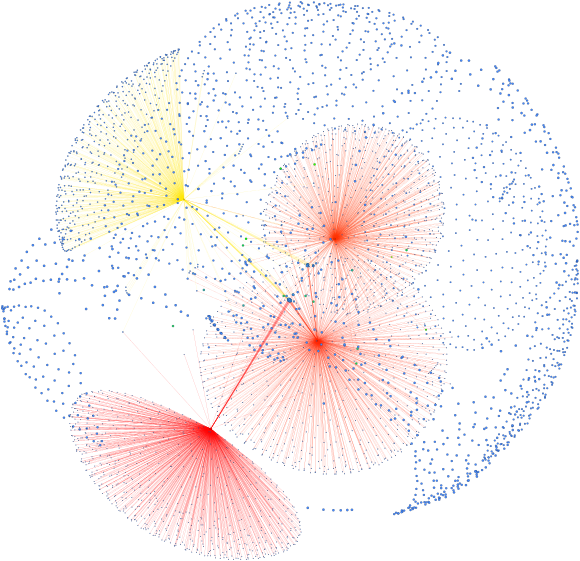
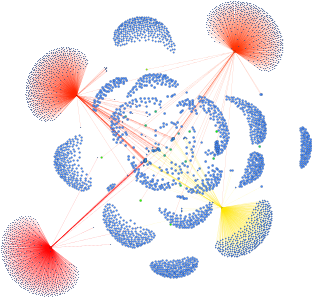
Around one year ago I wrote a web crawler in C++. It was a synchronous one, where you provided a starting URL and it crawled pages up to a specified depth while collecting their relationships. The resulting data was then passed to a graphing library to generate a visual representation of the network.
Over the past year, I’ve started experimenting with Rust and encountered a language similar in many aspects, but with some novel features, such as the async/await paradigm which is uncommon in C++. A rewrite of my previous crawler seemed fitting: the crate ecosystem and asynchronous model provided the building blocks for a more robust application compared to what I had created before, while allowing me to better familiarize myself with the novel concepts.
The Old Architecture
Before delving into the more advanced concepts, let’s take a look at the previous implementation and the possible improvements we can tackle.
As explained before, a URL and depth are given and pages are crawled. The noticeable aspect here is how it is done using a recursive function: you call the crawl function for the root URL, and it is called recursively for all fetched URLs, which in turn call for their pages, and so on. This is handy for the simplicity, assuming you’re only interested in small networks.
This process is blocking. The application must wait for the crawl function to complete before displaying any results. If the crawler does not print any messages, an ideal scenario since that’s the view’s work, the program would appear to be frozen until it’s done.
After having some ideas of what I wanted to improve, I outlined a few goals that could be implemented:
- Stream results incrementally: Instead of waiting for the final output, we can send discovered pages as they are discovered. This allows the rendered graph to expand dynamically.
- Parallelize processing: The current design fetches and parses pages sequentially. Performance can be improved by running these operations in parallel.
- Introduce a GUI: Moving away from the original command-line interface to a dedicated graphical UI makes the application more accessible and easier to use.
Separation of Concerns
Instead of relying on synchronous function calls, the view does something different. It sends a message to the crawler with the input information and enters a loop waiting for incoming messages. The crawler receives the message and starts its internal processing. For each page it successfully crawls, another message is sent to the view with the results. The view receives those messages, updates the graph and renders it.
This architecture provides a cleaner separation of concerns between the user interface and the crawling logic. The view is only responsible for rendering the current state, while the crawler manages page discovery, fetching, and processing. As a result, the interface remains responsive and the crawler can be extended with features such as parallel execution without requiring changes to the communication between them.
The Actors
The previous idea has a well-known name, it is called the actor model and the new system will be built based on this premise. Three components are needed for that: a crawler, a view and a connector. We will be going through each implementation individually, then combine them to build the final application.
Crawler
We begin by defining the crawler’s public interface: incoming commands that dictate its actions, and outgoing responses that report its results. These messages flow through dedicated input and output channels visible externally. Besides commands, we also define events which are internal messages the crawler sends to itself.
The event_loop waits for incoming commands or events and processes them one at a time. Each of those is routed to a specific handler that executes the required logic, potentially emitting new internal events or a final external response. Essentially, complex tasks are broken down by sending messages to itself until the job either succeeds or fails.
One such example is branching. We start with a request to crawl a page up to a certain depth. The task is executed and a list of contained URLs is returned; we then send an Event::Branch(urls). Inside the corresponding handler, the system filters out previously visited URLs to prevent duplicates, and emits an Event::Request for each remaining page.
Event::Error and Event::Skipped may be sent in case a crawl is aborted due to either an unexpected failure such as a network or parsing error, or an expected condition such as duplicate pages or non-HTML content. When appropriate, external responses are emitted for events an external observer may care about.
From the outside, interactions consist of sending requests and waiting for responses. Internally, the crawler is able to self-organize in a way most suitable for processing.
Asynchronous Execution
Because messages are processed one at a time, the event_loop must be lightweight and spend a short time handling each one. Time-consuming activities, such as requesting web pages, are offloaded to Tokio tasks and executed asynchronously.
Take the Event::Request handler as an example: it begins with a guard to check for valid depths, followed by a tokio::spawn call that creates a task to execute the provided block of code. Tasks are lightweight, asynchronous units of execution managed by the Tokio runtime, allowing the program to run multiple operations concurrently rather than waiting for one to finish before starting the next. Because tokio::spawn is non-blocking, the handler returns immediately, preventing the event_loop from stalling.
The await mechanism is critical for managing idle periods. During an operation like an HTTP request, the system spends most of its time waiting for network data to arrive. Instead of blocking the thread, await yields control back to the runtime so another task with pending work can execute. This is a form of cooperative multitasking, where tasks only alternate when they explicitly yield control to others.
Blocking Operations
Although handy to use, async is only suited for workloads that spend most of their time waiting for external resources. For heavy, CPU-bound operations like parsing a web page that do not finish in a short amount of time we need to offload the work to a dedicated thread designed for blocking operations.
The portion of code specified in tokio::task::spawn_blocking executes its intensive computation on an independent OS thread. The main async task simply calls .await on the result of this operation. Because the heavy lifting is isolated to the background thread, the main task safely yields control without monopolizing processing power.
This separation is crucial for maintaining system stability. Asynchronous runtimes manage concurrency using a small, fixed pool of worker threads to execute active tasks. By pushing time-consuming work that does not yield frequently to a separate OS thread, we guarantee that a core worker is not stalled, keeping the runtime responsive.
View
From the view’s perspective, all it has to care about is handling the incoming messages and sending commands out. All other details are handled internally, by the view itself without the rest of the program having to care about it.
I was not able to come up with a fancy interface on the first try and instead had to test different iterations of it, contributing small improvements each day until it looked good enough. When I was happy with the result, I simply stored the responses from the channels and wired the widgets to read from them.
On the left you have information about the crawler: logs of page responses, queues and errors, alongside a total count of those and an average response time for each request. On the right you have a few floating-window-styled widgets organized for node details, graph controls, page hubs and broken links.
The view also features an animated graph of page relationship that can be panned. You can select individual nodes, read the page contents and outgoing links. It is also possible to dynamically request a crawl for nodes not yet visited, highlighting the dynamic nature discussed earlier.
Connector
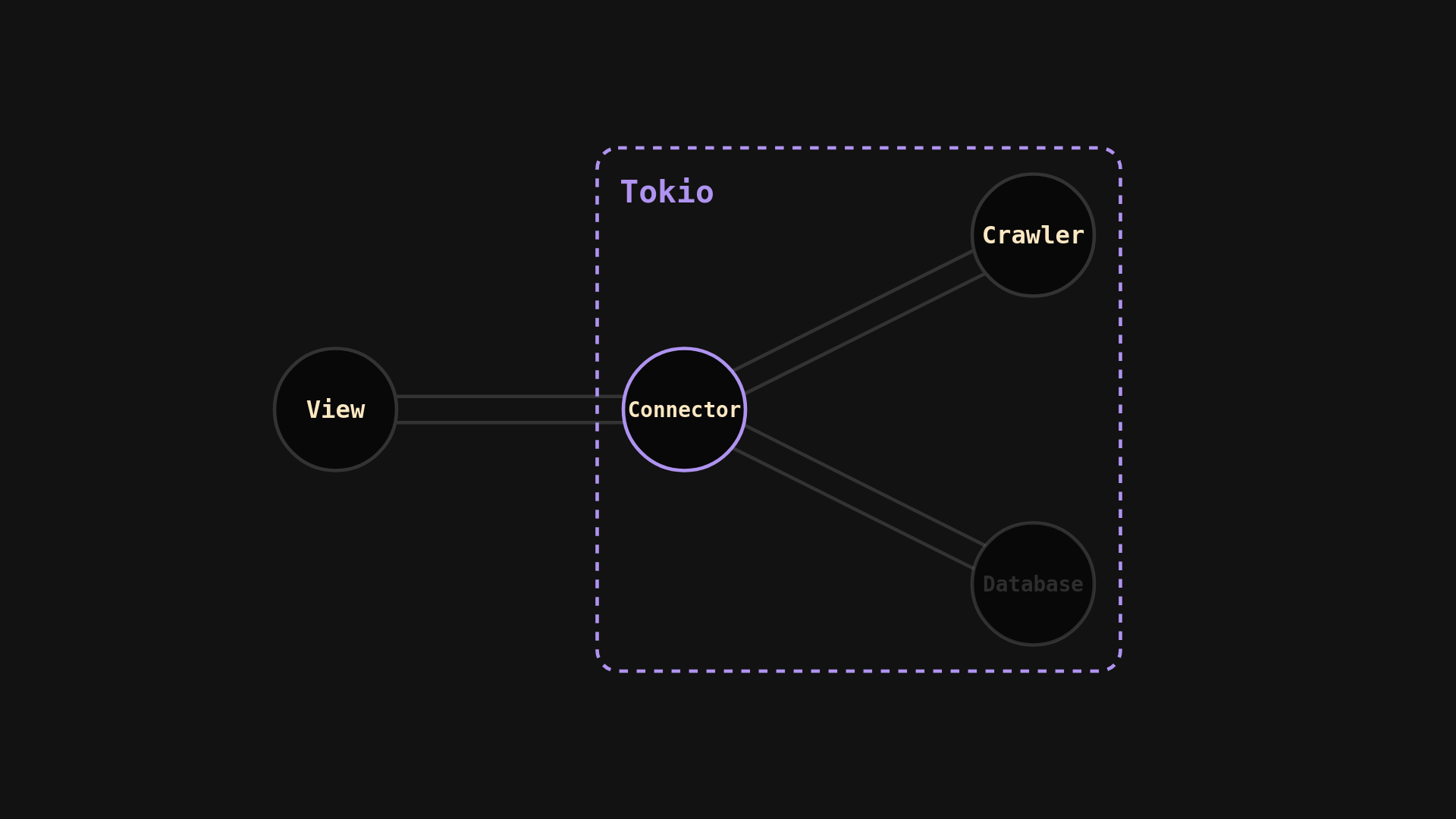
The connector is a lightweight intermediate used to connect different actors by simply rerouting messages. While the view and the crawler could share messages directly, having a connector allows for future extensions to the architecture.
One possible improvement is a database: page responses would be sent both to a database for caching and to the view for displaying. If a future request encounters an already crawled link, we could simply have the database query the contents and send them to the view, avoiding unneeded HTTP requests.
Sync/Async Communication
Bridging the synchronous UI code with the asynchronous Tokio actors required some additional consideration. The synchronous view cannot .await messages. This forces a choice between freezing the UI with blocking_recv(), or continuously polling using try_recv(). To maintain interface responsiveness, the view was configured to use try_recv(), processing incoming messages during the natural UI update cycle.
I also chose to use bounded channels. While an unbounded channel was an option, it comes with a significant risk: if messages were not processed fast enough, the message queue would grow uncontrolled, a similar behavior to a memory leak. Bounded channels prevent this by safely applying backpressure. If the queue space fills up, the crawler would simply halt execution until a slot was freed.
The Running System
The full source code is available on Github. Below is a demonstration of the running system.